A team
Each Bot has its own name, memory and skills. They hand work to each other.
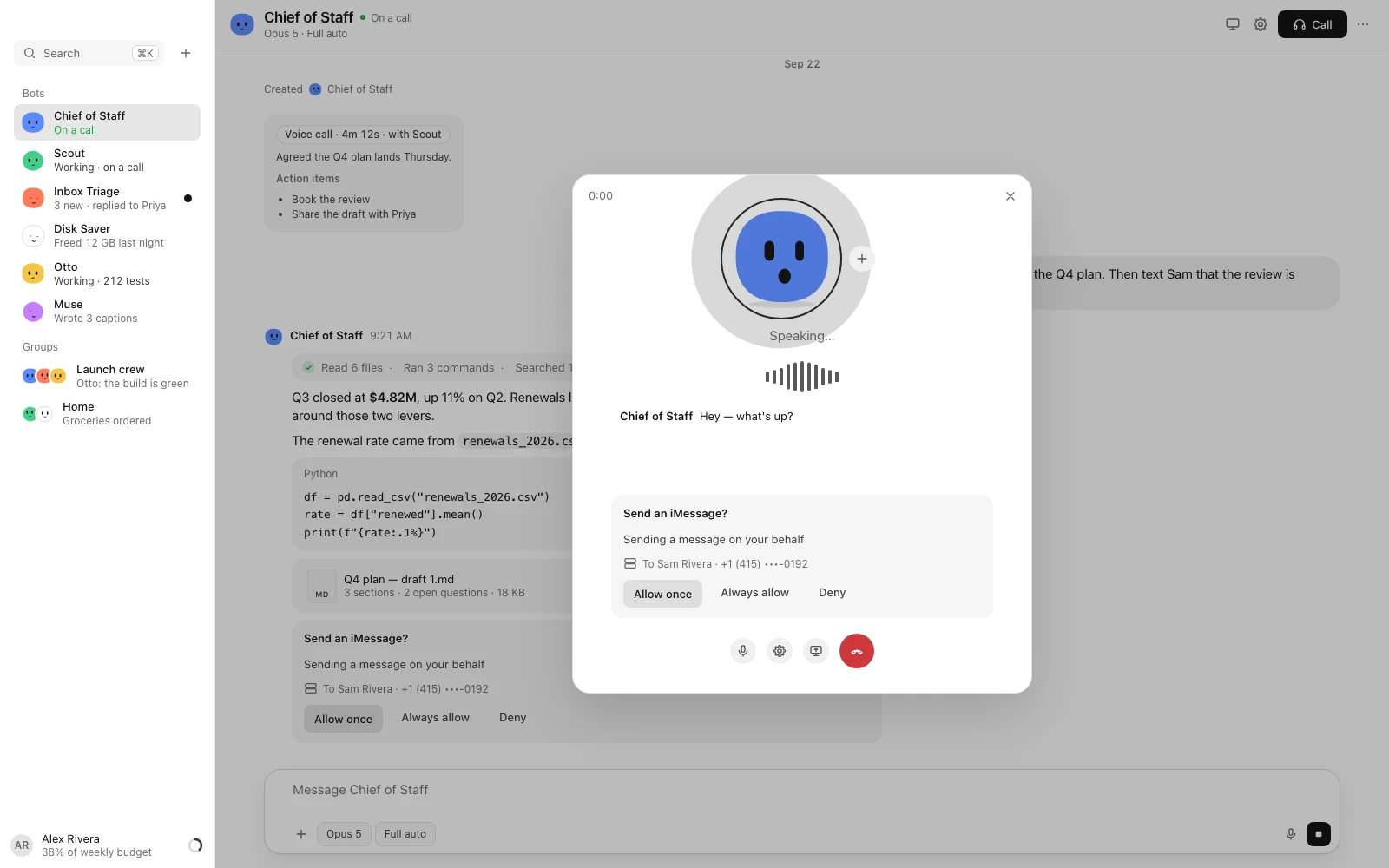
Chat with them, hand them code, call them, and let them use your Mac. Anything risky waits for you.
beta · Apple silicon · macOS 14+ · needs OrbStack and an AI key to start · works with more
Each Bot has its own name, memory and skills. They hand work to each other.
$ git clone acme/web
$ npm test
✓ 214 passed
$
Multi-step work on a Linux computer: files, the shell, the web and your accounts.
− await page.goto("/home")
+ await session.ready()
+ await page.goto("/home")
It works on its own branch, runs the tests and hands back a branch or a PR.
Call a Bot and talk. Speech and voice are processed right on your Mac.
Bots can use your apps and screen. Anything risky waits for your OK.
Every model call is metered, per Bot. Budgets pause or ask before overspending.
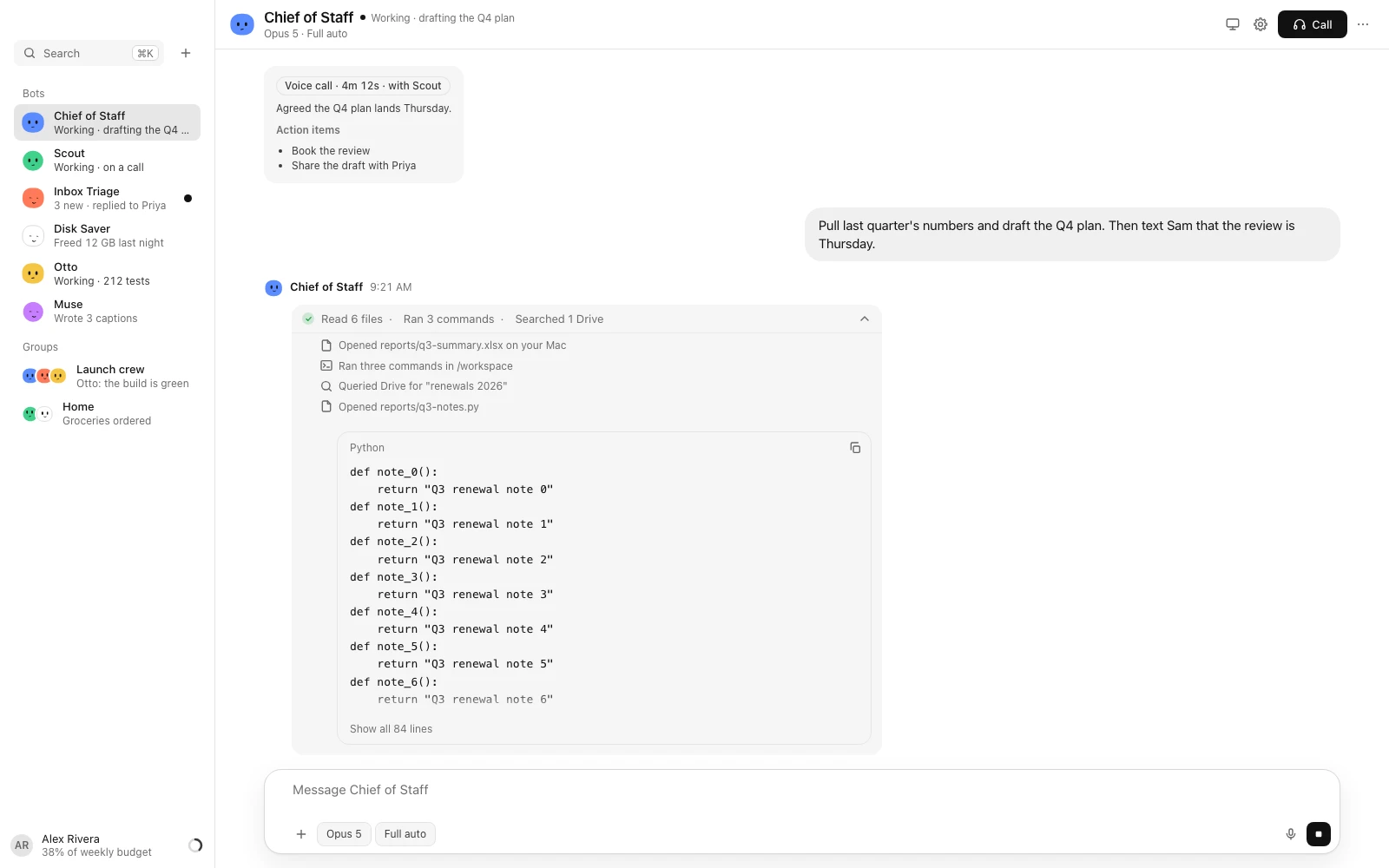
Bots work in their own Linux computer, apart from your files.
Your rules and approvals are enforced by the app, not a prompt.
At a budget, a Bot pauses or asks before it spends more.
Your key and every secret are encrypted on your Mac.
Synapse talks straight to the AI provider you choose, with your key. There’s no Synapse server in between.
Sort my inbox and draft the replies
Inbox TriageWrite my standup from yesterday's commits
Standup WriterSummarise the week's pull requests
Release Notes WriterWork through the bug queue, one PR each
Night ShiftPlan the week's meals and write the grocery list
Recipe PlannerMatch Stripe payouts and flag anything odd
BookkeeperRuns your week: inbox, calendar and follow-ups.
Gmail · Google CalendarSorts, archives and drafts replies.
GmailFixes bugs, runs the tests and opens PRs.
GitHub · SentryWorks through a queue while you sleep.
Linear · GitHubReads your commits and calendar, then writes your standup.
GitHub · Linear · CalendarBriefs you before every meeting.
Calendar · Gmail · DriveResearches anything and cites sources.
DeepWiki · Hugging FaceTracks money in and out and flags anything odd.
Stripe · GmailInstall OrbStack, then drag Synapse to Applications. The first time, open it with right-click → Open.
Synapse sets up its Bots' computer, then asks for your key: from the Anthropic Console, or from OpenAI, OpenRouter, Gemini, Mistral or DeepSeek. Or pick a model on your Mac.
Start talking, or add Bots from the sidebar. Updates arrive in the app, signed and verified.
Synapse is free and open source under the Apache-2.0 licence. You pay your AI provider, such as Anthropic or OpenAI, for what your Bots use on your key, and you can set budgets inside the app.
Synapse is signed with its own certificate rather than an Apple Developer ID, and isn't notarized by Apple yet. Open it once with right-click → Open, or click Open Anyway in System Settings → Privacy & Security. After that it opens normally.
A Mac with Apple silicon on macOS 14 or later, about 8 GB of free disk, OrbStack, and an AI key to finish setup: Anthropic, OpenAI, OpenRouter, Gemini, Mistral or DeepSeek, or a model on your Mac with Ollama or LM Studio.
Yes, and you can set up with any of them: pick OpenAI, OpenRouter, Gemini, Mistral, DeepSeek or a model on your Mac in the key step, no Anthropic key needed. Add more in Settings → Account and pick a model for each Bot. Coding agents and Engineering mode run on the Bot's own model. So do the computer and browser helpers. See Works with.
Yes. Since 0.1.1, Synapse runs in two macOS accounts on the same Mac at once. Each account gets its own connection to its own Bots' computer.
No. Synapse reaches Claude with an Anthropic API key only; signing in with a Claude subscription or Claude Code login isn't supported.
It's a beta. It works, and it's been tested on a fresh Mac, but expect rough edges. Please open an issue if something breaks.